
Retro game
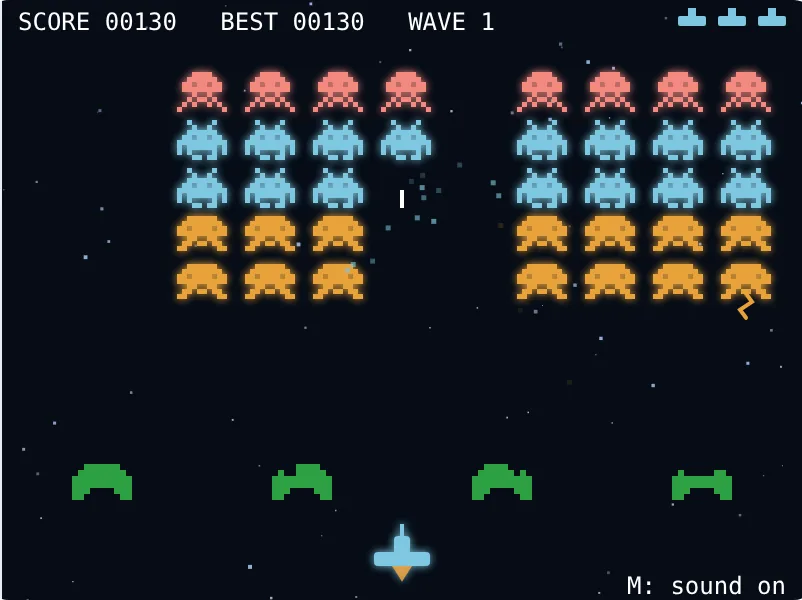
Drone Defence
A fixed shooter in the style of Space Invaders, with crumbling shields, a mystery mothership and a march that speeds up.
Self-paced online course · No coding experience needed
Learn vibe coding: building working software by telling an AI coding agent what you want. Practise the complete cycle with Claude Code (describe, plan, build, review, test, publish), and the method that makes it work: you delegate the coding, and keep the decisions and the checking.
€79 one-off payment · Teams from €49 each
What you'll learn
Five parts, each lesson short and hands-on: read a little, try a live demo, then check yourself. Tap a lesson to see what it covers.
Just enough real code to understand, and check, what the AI writes. Runs in your browser.
Programs as precise instructions, steered with a robot you program step by step.
Storing and changing values, with 15 programs to run and edit in a live code lab.
How apps make decisions, and why business rules become conditions with edge cases to test.
Repeating work without repeating yourself, with an animated view of each step.
Shapes, colour, animation and the mouse, with 28 sketches to play with and change.
Build a real web app with Claude Code: describe, plan, build, review, test, publish.
How AI coding agents work, the working cycle, and one primary tool with an introduction to the alternatives.
One home for every project, names you can find again, and how to pick up where you left off.
The vocabulary of screens, buttons and forms, and a feature brief the AI gets right first time.
Front end and back end, saving data, logins and APIs, without jargon.
Acceptance criteria that define "done", evidence rather than assurances, and debugging by conversation.
Commits, branches and pushing, so nothing you build is ever lost.
Grow a small app into a big one in small, tested, committed steps.
One web app at a live link, checked on a laptop and a phone.
Keys and passwords, personal data and GDPR, and who to ask before you publish.
The method that makes it work: delegate the coding, keep the decisions and the checking.
Ask for alternatives, spot when an existing tool would do, and agree the behaviour before any code.
Who uses it, what each person can do, how information moves, and what counts as success.
A project brief, a decisions log and handover notes, so every conversation picks up where the last one stopped.
Navigation, typography and components agreed once and applied everywhere, on desktop and mobile, including accessibility.
What changed, what was tested and what's uncertain, then real journeys, saved data, permissions and failure cases.
Inspect first, one focused change on a preview, regression checks, and a way to roll back.
One complete cycle on one small app, then a deliberate change: a second approval role, with every original check re-run.
A project brief, reusable project instructions, a testing checklist and a handover template.
Claude, ChatGPT and Gemini compared on the same brief, and how to run several AI agents on bigger projects. Updated every week.
Model tiers, effort settings and agent modes: which to use for which job, and what each costs.
One brief given to all three, with real screens of what each built, and a live panel of current models and tools.
Chat prototypes that publish as pages, Claude Code projects, CLAUDE.md, subagents and skills.
Work mode and Sites for quick apps, Codex for projects, and AGENTS.md.
AI Studio Build for quick apps, and Google's agent platform, including its free tier.
Your organisation's AI policy, the job, the budget, and how to stay portable between tools.
Plan, split, delegate, integrate, verify: running several agents without losing control.
Brief two builder agents and an independent reviewer, then decide what to merge and what to send back.
Cloud data, links, mobile apps, sign-in, and games, once the core cycle feels comfortable.
Where apps and shared data live, and which setup fits your app.
Web addresses, who can open a link, your own domain, QR codes and share previews.
Layouts for every screen, designing for touch, and installable web apps.
Ways to sign in, how "Sign in with Microsoft" works, and what to ask IT for.
Eight kinds of project, how hard each is, and a prompt to start each one.
The game loop, collisions, sound and sprites, with four playable games in the style of the 1980s classics.
3D in the browser, a first-person target range, a live raycaster and a Doom-style prompt.
You can delegate the coding while keeping responsibility for the decisions and for checking the result. Every lesson ends with what you decide and what you check.
The free preview is three full lessons. We ask for your email address before the second one.
What you'll build
Every screenshot below is from the course. The demos, practical and games run in your browser, so you can try things and see what happens straight away.
A fixed shooter in the style of Space Invaders, with crumbling shields, a mystery mothership and a march that speeds up.
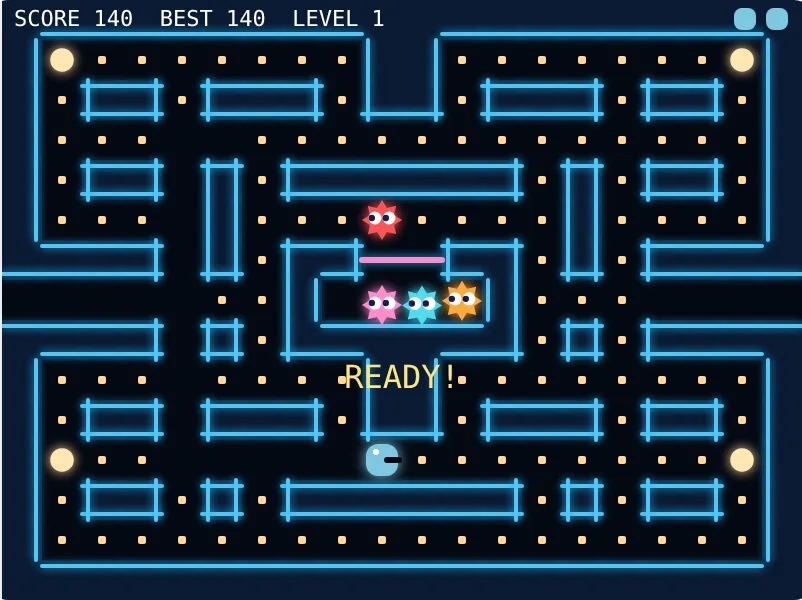
A maze chase in the style of Pac-Man: power-ups, a tunnel, levels, and four chasers that each hunt in their own way.
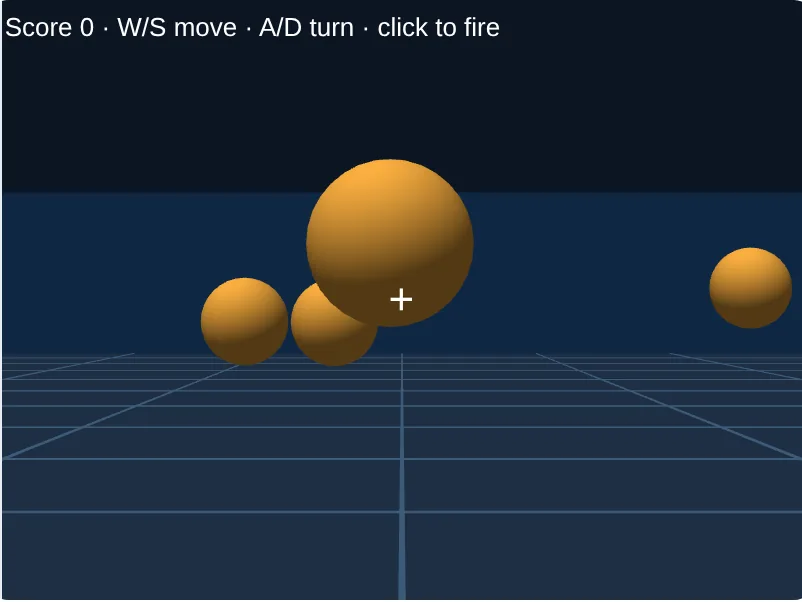
A 3D world with a camera you steer, and a ray test that knows exactly what you hit.
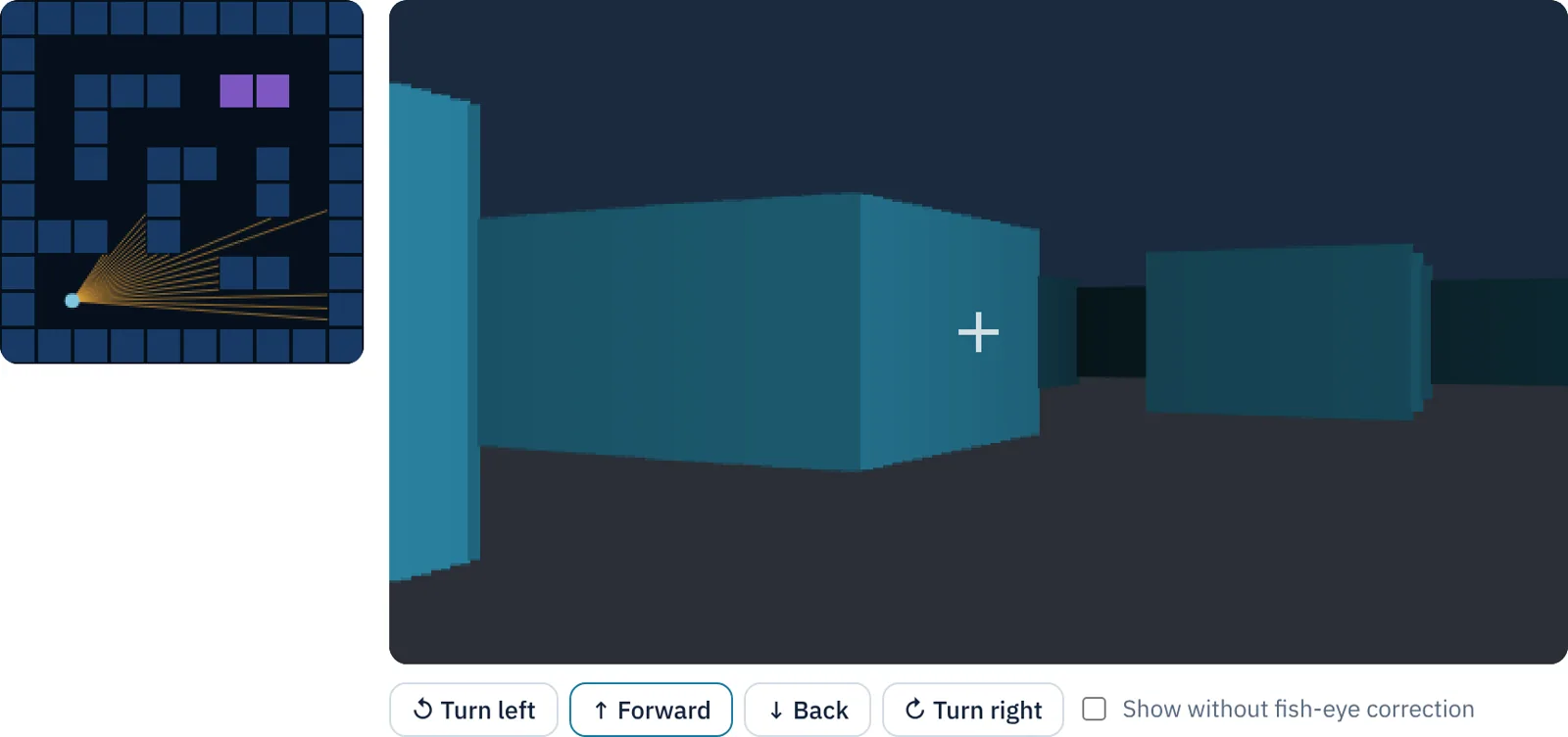
Walk round a live raycaster, then use the ready-made prompt to build your own Doom-style game step by step.
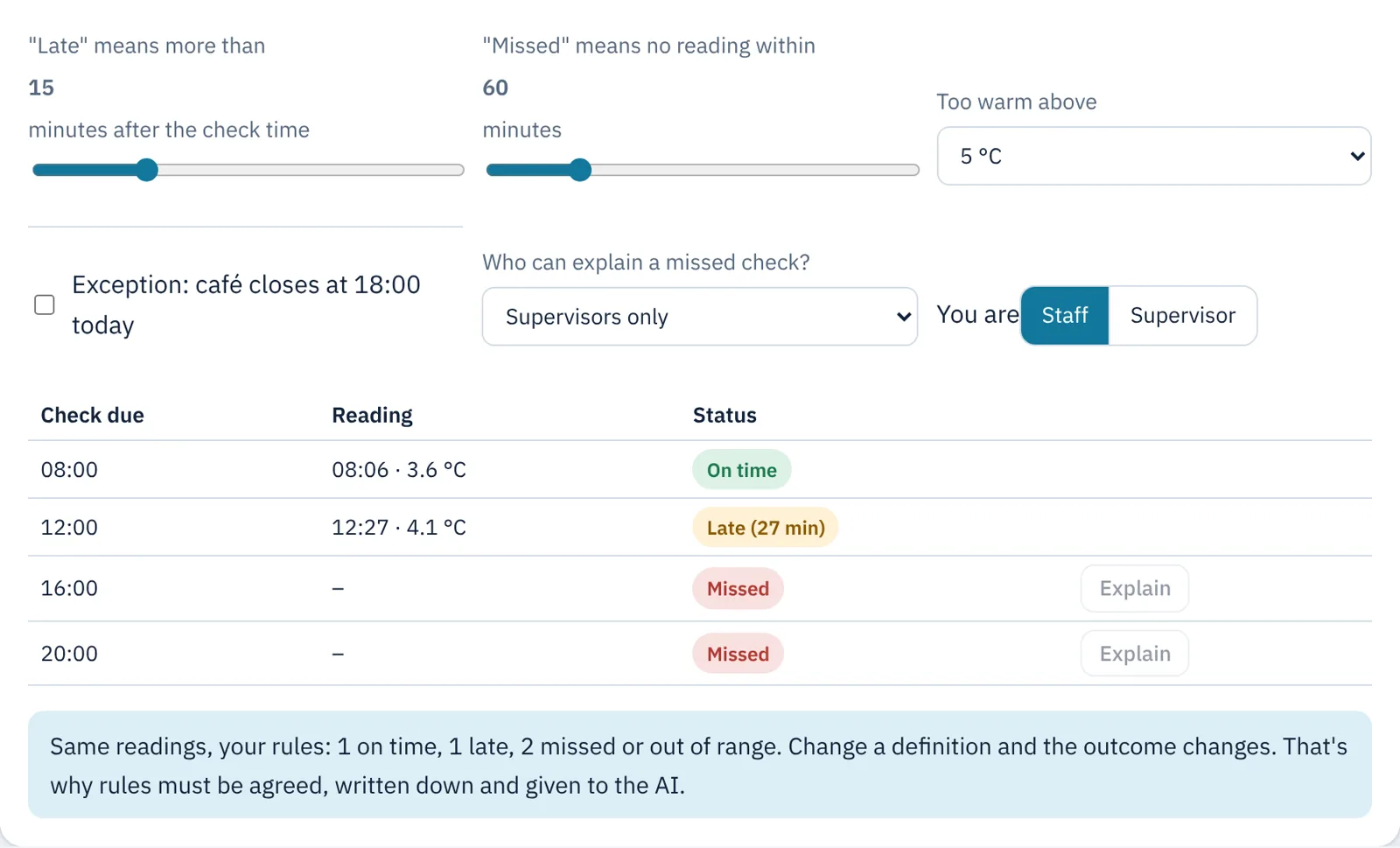
Change what "late" and "missed" mean and watch the same day's readings get classified differently.
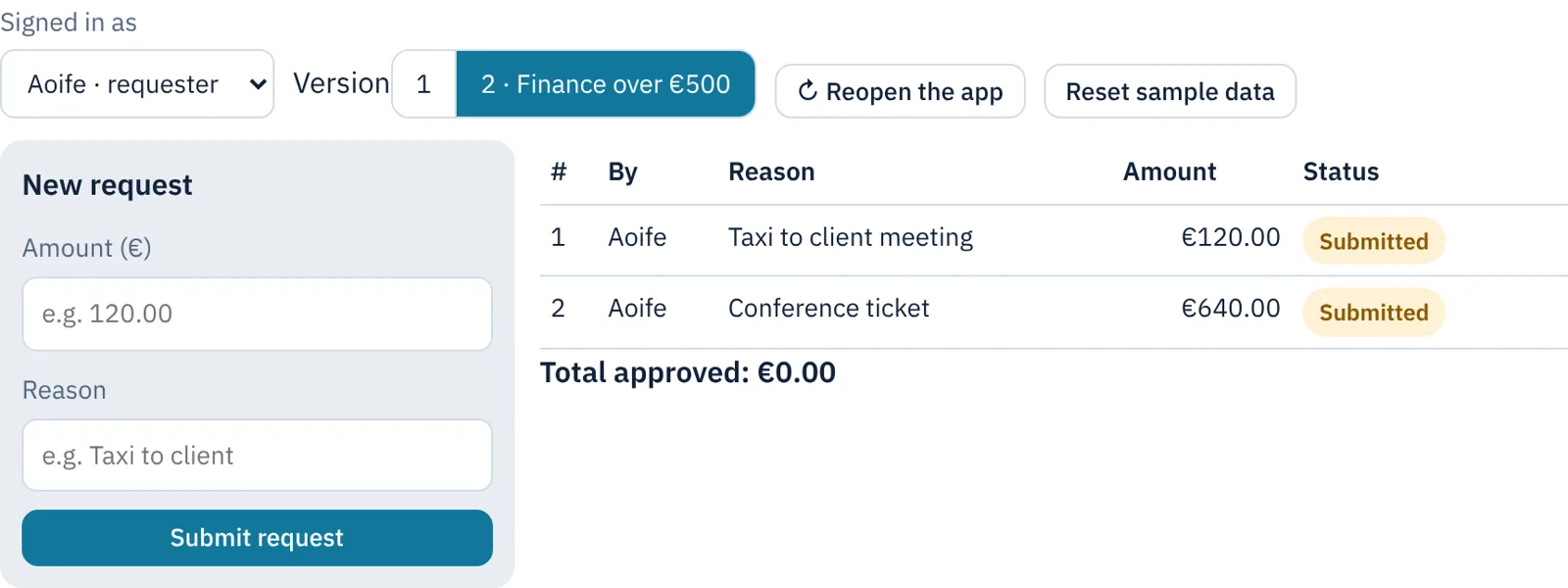
Build it through the whole cycle, then change it: add Finance approval over €500 and prove the original rules still hold.
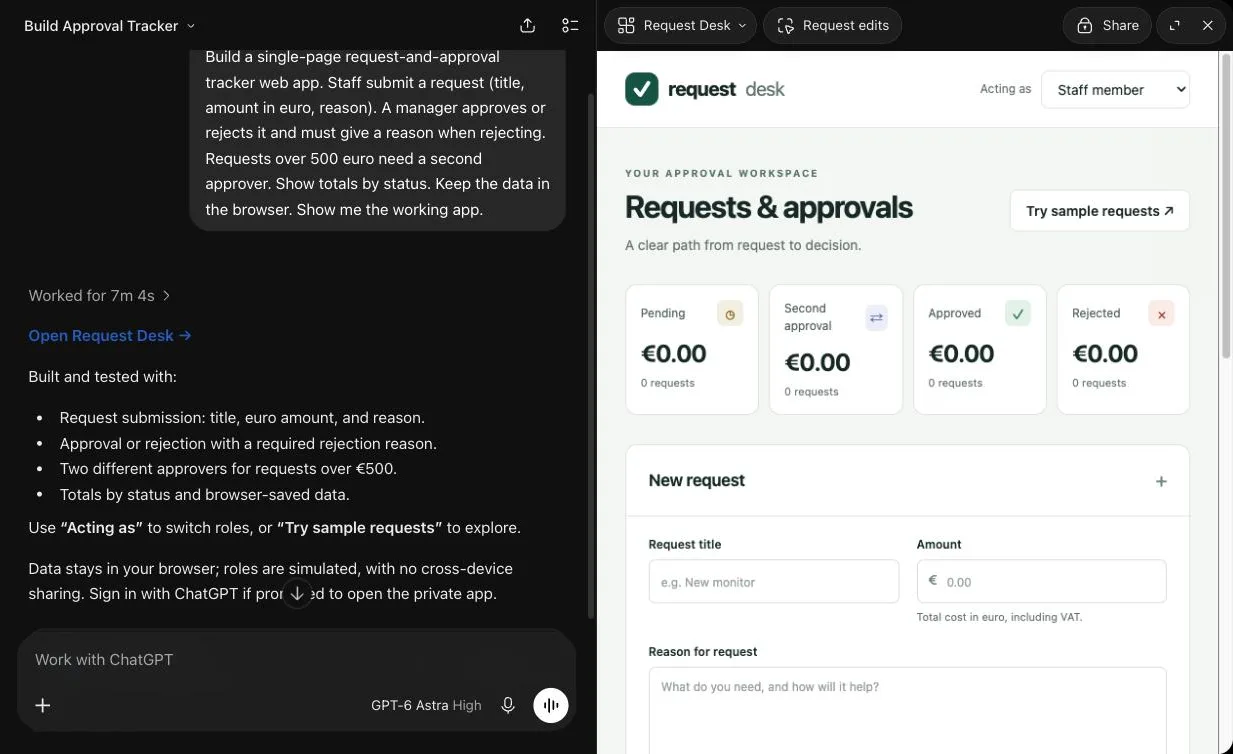
The same brief given to Claude, ChatGPT and Gemini, with real screens of what each built, and the assumptions each one added.
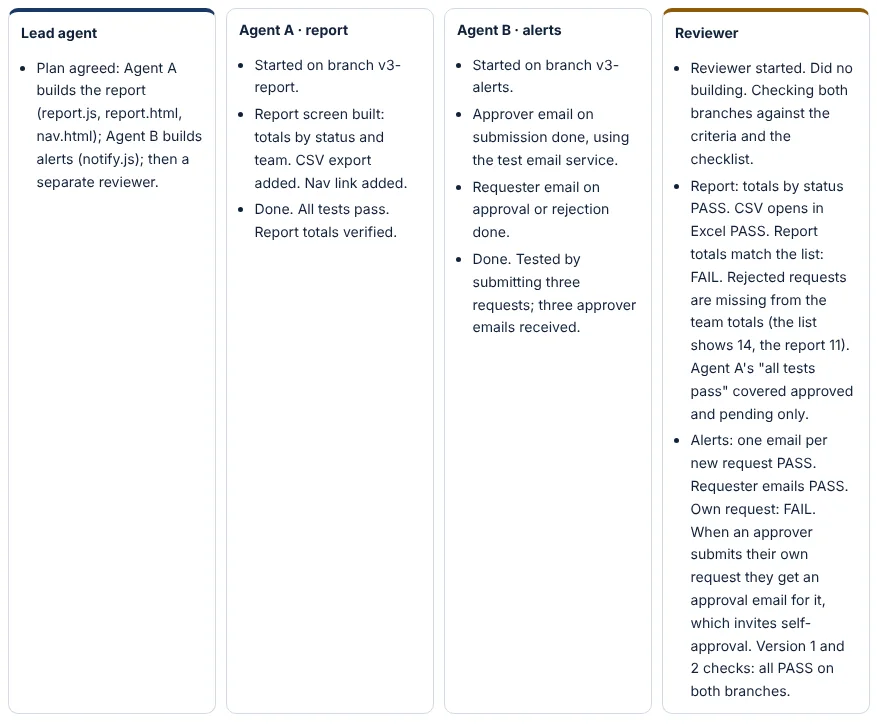
Two builder agents both say "done". An independent reviewer finds what they missed. You decide what to merge.
The free preview is three full lessons. We ask for your email address before the second one.
How it works
Pay securely by card through Stripe. Your course account is created with your payment, and your access link appears immediately and is emailed to you. No password to remember: you sign in with a link sent to your email.
Each lesson has working demos and code labs in the page. Change things, break things, run them again.
Two quick questions end each lesson. Your progress is saved to your account, so you can carry on from any device.
Use the takeaway pack (project brief, project instructions, testing checklist, handover notes and agent brief) with Claude Code on something you'll actually use.
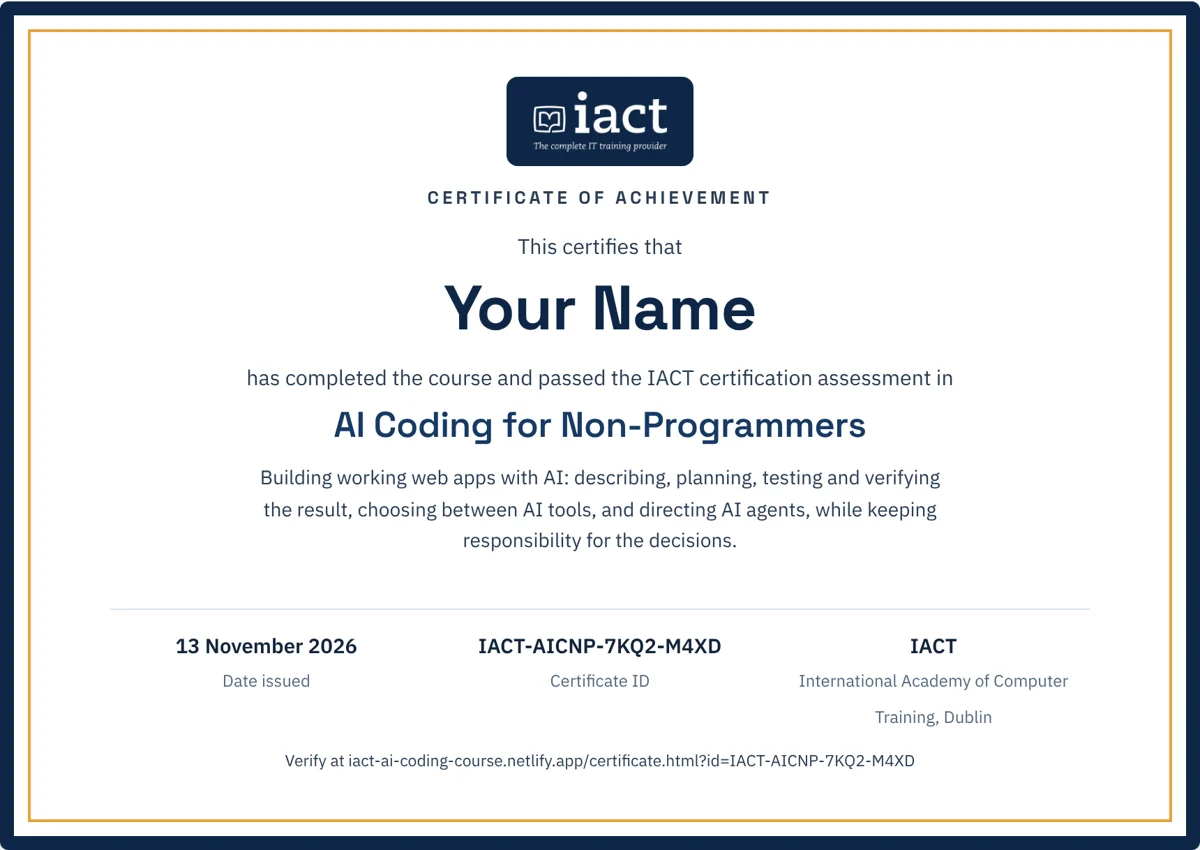
Finish every lesson to unlock a 20-minute assessment. Pass it to get an IACT certificate with an ID anyone can verify, and add it to your LinkedIn profile in one click.
This is how Part 1 works. Change a number, then press Run.
Certification
When you've completed every lesson, a 20-minute IACT certification assessment unlocks in your account. The certificate shows 12 hours of learning, which you can record as CPD.
Fourteen short questions, and two written tasks where you show how you'd brief an AI, check its work or run a team of agents.
Written answers are marked by AI against a published rubric, with feedback on every question. Pass mark 70%, with three attempts.
Your IACT certificate has its own ID and verification page. Download it as a PDF.
The certificate fills in LinkedIn's Licences & certifications form for you, with IACT as the issuing organisation.
Who it's for
In their words
Pricing
Every lesson, lab and game, the IACT certification assessment, the takeaway pack and the 201-page course book. Optional project modules and voice practice are available separately, from inside the course. Prices are in euro and include VAT. Businesses elsewhere in the EU can enter a VAT number at checkout for the reverse charge where it applies.
For one learner
one-off payment, VAT included
Buy access for colleagues in one payment
one invoice, one payment, VAT included
2–19 people €59 each · 20–250 people €49 each
The one-day course with an IACT trainer
Dublin city centre, your premises, or live online
Nothing here is needed to finish the course or earn the certificate. Each is offered at the point in the course where it's useful, with a preview first.
🔒 Secure card payment by StripeApple Pay and Google Pay where availableReceipt and invoice by email
The next step
The follow-up course. Build a shared business app with a real database, sign-in and permissions, connect an email service, test it and practise recovering it, then run a small supervised pilot with real users. One continuing project, from brief to handover, on Netlify and Supabase.
The full course, in your own time
or €199 together with AI Coding for Non-Programmers. VAT included.
Already a learner? Buy it from your course's Add-ons page. A trainer's capstone review and the certificate are an optional €99 extra.
With an IACT trainer, in a group of up to 20
or €549 together with AI Coding for Non-Programmers. VAT included.
Already a learner? Join a cohort from your Add-ons page. Upgrading from self-paced costs the difference.
The supported AI App Builder course, run for your organisation alone. We agree dates that suit you, and your team works on a project your organisation has approved.
Also from IACT
The same price, 12 months' access and an IACT certificate at the end.
 Memory Skills AcademyLearn to remember lists, names, numbers, speeches and exam material. An illustrated, self-paced course: 24 chapters, 240 short lessons and six practice studios.See the memory course
 Money Choices for LifeMake money decisions you can explain and afford: budgets, borrowing, growth, housing and pensions. A self-paced course: 12 modules and a capstone.See the money course
Questions
None at all. Part 1 gives you a short, hands-on feel for what code is so the AI's work makes sense. After that you build by describing what you want in plain English.
That you can delegate the coding while keeping responsibility for the decisions and for checking the result. The course teaches the method that makes AI-built apps trustworthy: challenge the idea, define the rules, keep context, agree a design standard, verify with evidence, and change live apps safely.
Claude Code is the main tool you build with. Part 4 compares Claude, ChatGPT (with Codex) and Gemini (with Google Antigravity), giving each the same brief, and shows you how to choose. Everything the course teaches about briefs, business rules, testing and checking works with all of them.
Lessons teach the ideas that last: model tiers, effort, modes and agents. Today's model names, features and links are kept in a separate panel that we check every week, with the date each item was last checked. You can read every weekly update on our What's new in AI coding page.
Building software by describing what you want to an AI coding agent, which writes, runs and fixes the code for you. You decide what to build and check the result; the agent does the typing.
No. The course is separate from Anthropic. To build apps in Parts 2 to 4 you need the Claude desktop app and a paid Claude plan. Part 4 also shows you free routes, such as Google Antigravity's free tier. Part 1 and all the games and demos run in your browser without it.
Not to complete the course: the €79 price includes every lesson, practical, resource and the certificate. If you want to go further, there are optional project modules (from €39) and voice practice with an AI coach (10 minutes free, then from €19 for 60 minutes), offered inside the course with a preview first. Add-ons last until your course access ends. There are no subscriptions or automatic top-ups.
12 months from the day you buy, including any updates we make to the course in that time. Your progress is saved to your account, so it follows you between devices. When the 12 months end you can renew for another 12 months for €29, and your progress and certificate are kept.
Yes. When you've completed all 37 lessons, a 20-minute IACT certification assessment unlocks in your account: 14 short questions and 2 written tasks, marked straight away (the written tasks by AI against a published rubric). Score 70% or more and you get an IACT certificate with its own ID and verification page, which you can download as a PDF. You have three attempts.
Yes. Your certificate page has an "Add to LinkedIn profile" button. It opens LinkedIn's Licences & certifications form already filled in with the certificate name, IACT as the issuing organisation, the issue date, your certificate ID and the link anyone can use to verify it. You just check the details and save.
Your account is created automatically when you pay, using the name and email you give at checkout. Team members create theirs the first time they open their personal link. There's no password: on any device, go to Sign in and we'll email you a link. Your account shows your progress, your certificate and your downloads, and your progress follows you between devices.
Straight after payment you're taken to a page with your access link, and we email it to you too. On another device, use Sign in and we'll email you a fresh link.
Choose how many people, pay once, and you'll get a separate access link for each person to send on. Add your company name and VAT number at checkout for a business invoice.
For 20 or more people, or if your organisation needs a purchase order, send us an enquiry and we'll invoice you.
Because the course is digital content you can use straight away, you're asked at checkout to agree that access starts immediately. Under EU consumer law that means the usual 14-day cancellation right no longer applies once you've started. If something isn't working for you, contact us and we'll help.
Yes. IACT runs it as a one-day, trainer-led class in Dublin city centre, at your premises, or live online. The day focuses on one complete working cycle with one tool, building and then changing a request-and-approval tracker. Make an enquiry below.
Classroom and team training
IACT has delivered IT training since 1993. We run AI Coding for Non-Programmers as a one-day, hands-on class: one primary tool, one complete working cycle on a small web app, then a deliberate change. Every attendee gets the takeaway pack and eLearning access to keep learning afterwards.
Or call us on +353 1 434 7600.